
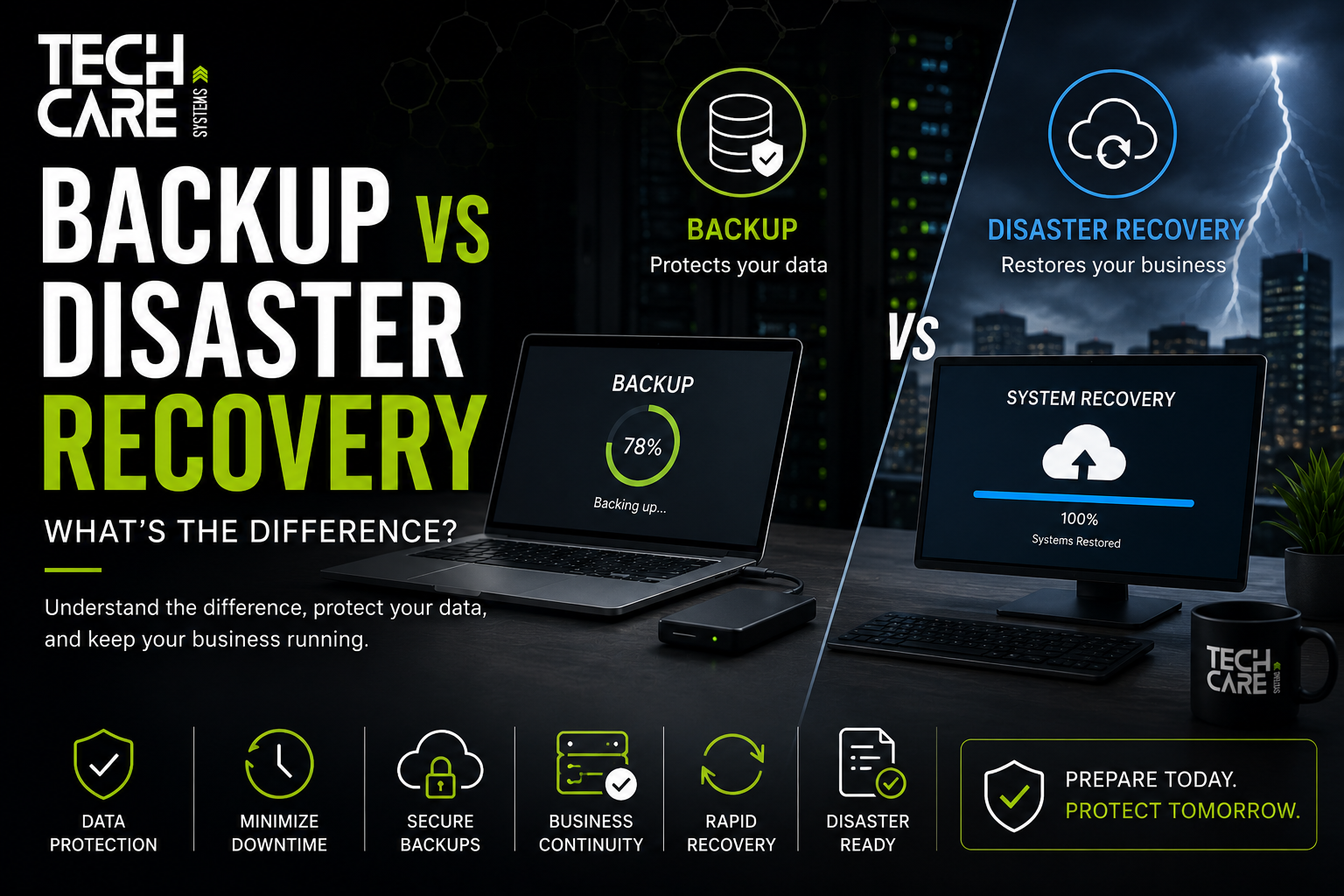
Backup vs Disaster Recovery: What’s the Difference?

magine arriving at your office on Monday morning to discover that every server has been encrypted by ransomware. Employees cannot access files, your ERP system is offline, customer emails are unavailable, and production has come to a standstill.
Many business owners immediately ask:
“Do we have a backup?”
While backups are essential, they are only one part of a complete recovery strategy.
A backup helps you recover data.
A disaster recovery plan helps you recover your business.
Understanding the difference between these two concepts is critical for minimizing downtime, protecting data, and ensuring business continuity.
At TechCare Systems, we help organizations across Germany implement backup and disaster recovery solutions that keep businesses running when unexpected events occur.
What Is a Backup?
A backup is a copy of your data that can be restored if the original data is lost, deleted, corrupted, or encrypted.
Businesses typically back up:
- Documents
- Databases
- Virtual machines
- Microsoft 365
- File servers
- Accounting systems
- ERP systems
The purpose of a backup is simple:
Restore lost information.
What Is Disaster Recovery?
Disaster Recovery (DR) is the complete process of restoring business operations after a major disruption.
It includes:
- Restoring servers
- Recovering applications
- Recovering databases
- Restoring cloud services
- Reconnecting users
- Re-establishing internet connectivity
- Recovering communications
- Returning production to normal
Disaster recovery focuses on business operations—not just files.
Backup vs Disaster Recovery
| Backup | Disaster Recovery |
|---|---|
| Protects data | Protects the business |
| Restores files | Restores operations |
| Usually restores individual items | Restores complete IT services |
| Lower cost | More comprehensive investment |
| Minutes to restore a file | Hours or minutes to restore business operations |
| One component of resilience | Complete resilience strategy |
Every disaster recovery plan includes backups, but backups alone do not constitute disaster recovery.
Why Businesses Need Both
Many incidents extend beyond simple data loss.
Examples include:
- Ransomware
- Server failure
- Fire
- Flood
- Theft
- Human error
- Hardware failure
- Power outage
- Cyberattack
- Cloud outage
A backup may recover your files, but it will not automatically rebuild your infrastructure or restore your applications in the correct sequence.
Understanding RTO
Recovery Time Objective (RTO) defines how quickly a system must be restored after an incident.
Examples:
Email: 4 hours
ERP: 2 hours
Production servers: 1 hour
Critical databases: 30 minutes
The lower the RTO, the more sophisticated the disaster recovery solution typically needs to be.
Understanding RPO
Recovery Point Objective (RPO) defines how much data your organization can afford to lose.
Examples:
RPO = 24 hours
You may lose one day of work.
RPO = 1 hour
Only one hour of changes is lost.
RPO = 15 minutes
Data loss is limited to approximately fifteen minutes.
Choosing an appropriate RPO depends on operational requirements and business risk.
The 3-2-1 Backup Rule
A widely recommended strategy is the 3-2-1 rule:
- Keep three copies of your data.
- Store them on two different types of media.
- Keep one copy offline or off-site.
Many organizations now also add immutable storage to protect backups from ransomware.
Common Backup Mistakes
Avoid these pitfalls:
- Never testing backups
- Storing backups on the same server
- Using only one backup destination
- Not backing up Microsoft 365
- Ignoring cloud application data
- Failing to monitor backup jobs
- Assuming backups will always restore successfully
Regular testing is as important as creating backups.
Cloud Backup vs On-Premises Backup
Cloud Backup
Advantages:
- Off-site protection
- Scalable storage
- Accessible from multiple locations
- Reduced hardware requirements
On-Premises Backup
Advantages:
- Faster local restores
- Greater control over hardware
- Useful for large datasets
- Can reduce recovery times for local failures
Many businesses use a hybrid approach to combine the benefits of both.
Do You Need to Back Up Microsoft 365?
Yes.
Although Microsoft provides high availability, organizations remain responsible for protecting their own business data.
Independent backups can help recover information following accidental deletion, malicious activity, or long-term retention requirements.
Signs Your Business Needs Disaster Recovery
You should implement a disaster recovery plan if:
- Downtime impacts revenue.
- You rely on digital systems.
- Customers expect continuous availability.
- You operate multiple locations.
- You use Microsoft 365 or cloud services.
- You process sensitive information.
- Compliance requirements apply to your business.
Business Continuity vs Disaster Recovery
These terms are often confused.
Business Continuity
Focuses on maintaining operations during disruption.
Examples include alternative workplaces, communication plans, and manual procedures.
Disaster Recovery
Focuses on restoring IT systems after an incident.
Business continuity and disaster recovery complement each other.
How TechCare Systems Can Help
Our Backup and Disaster Recovery services include:
- Backup strategy design
- Microsoft 365 backup solutions
- Server backup
- VMware backup
- Hyper-V backup
- Disaster Recovery planning
- Recovery testing
- Backup monitoring
- Cloud backup
- Business continuity consulting
- Infrastructure resilience assessments
We design solutions based on your recovery objectives, operational needs, and business priorities.
Frequently Asked Questions
Is backup enough to protect my business?
No. Backups protect data, but disaster recovery ensures that systems and business operations can be restored efficiently after a major incident.
How often should backups be tested?
Regular restore testing—at least quarterly—is recommended, with more frequent testing for critical systems.
What is the difference between RTO and RPO?
RTO defines the target time to restore services. RPO defines the maximum acceptable amount of data loss.
Should Microsoft 365 be backed up?
Yes. Independent backups provide additional protection and recovery options for business data.
Conclusion
Backups and disaster recovery serve different but complementary purposes.
Backups protect your information.
Disaster recovery protects your ability to operate.
Organizations that invest in both recover more quickly, reduce downtime, and improve resilience against cyberattacks, hardware failures, and other unexpected events.
References
- National Institute of Standards and Technology (NIST): https://www.nist.gov/cyberframework
- CISA – Cyber Resilience Resources: https://www.cisa.gov/resources-tools
- Microsoft Learn – Backup and Recovery: https://learn.microsoft.com/
- BSI – German Federal Office for Information Security: https://www.bsi.bund.de